
📚 How to guides
How to Find Your Google Form Link
To customize or embed your Google Form with CustomGForm, you need the public responder link (the URL respondents use to fill out the form, not the backend editor URL). Follow the steps below or watch the quick video tutorial.
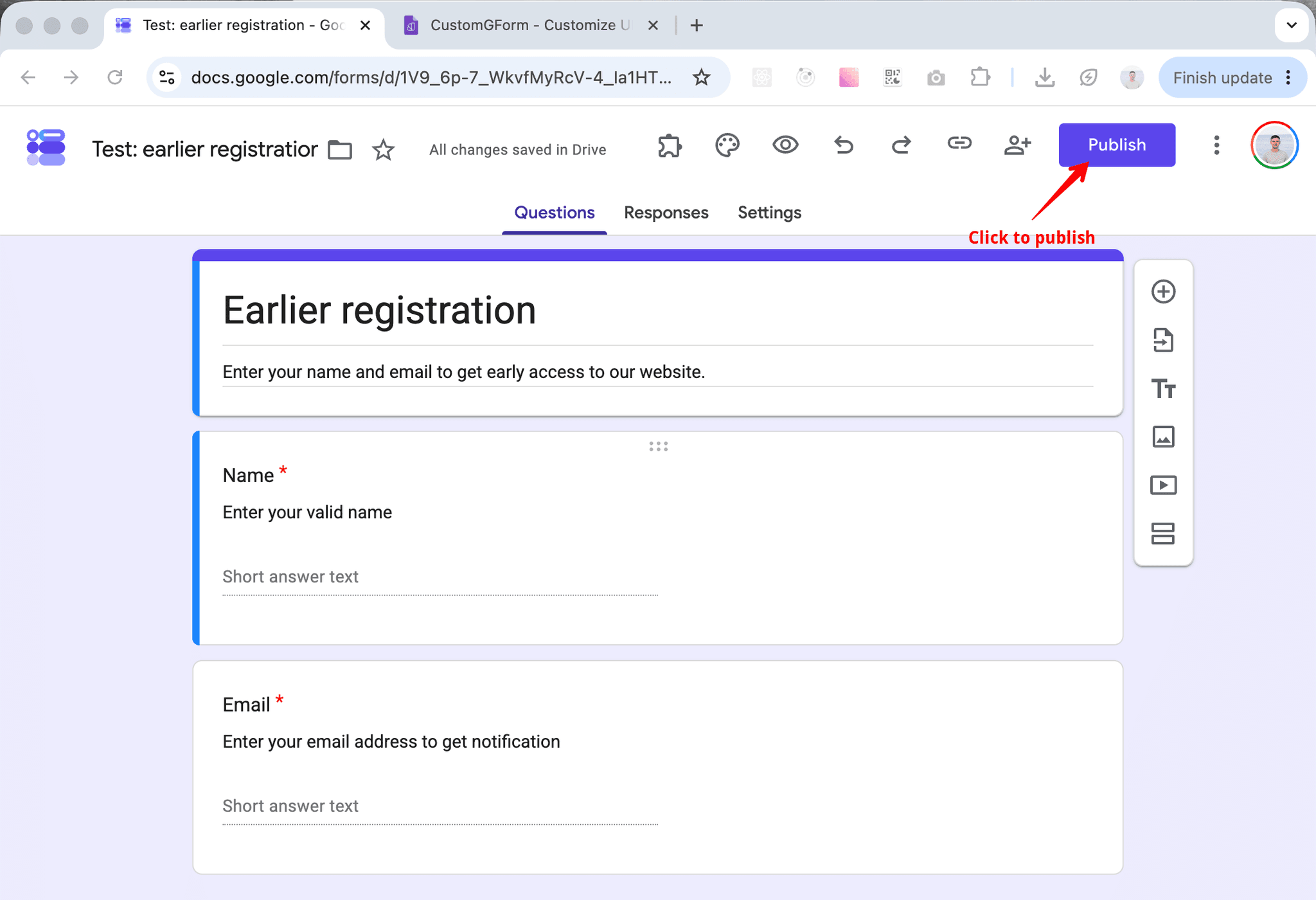
Open Google Form and click on "Publish"
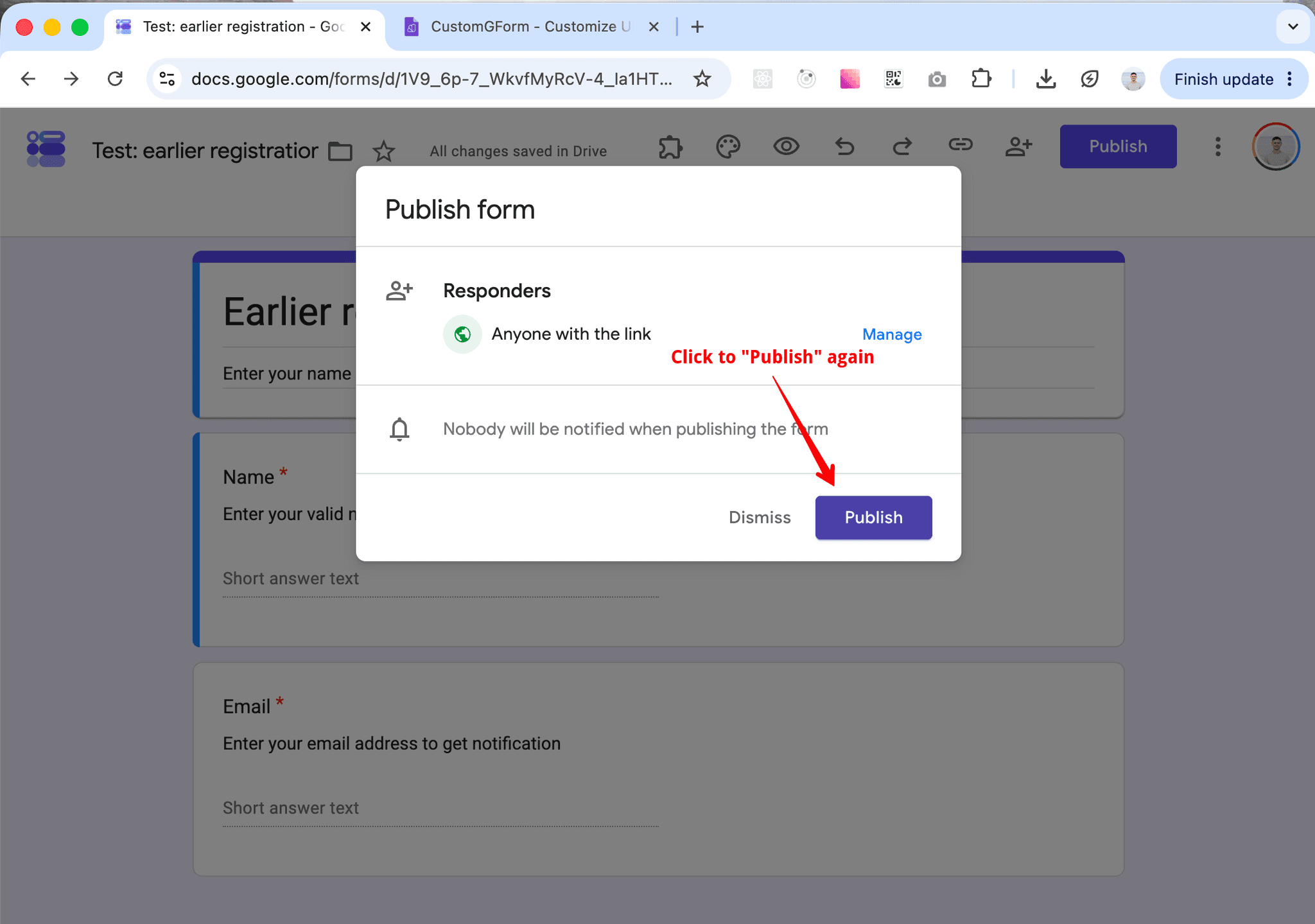
In the popup window, click "Publish" again
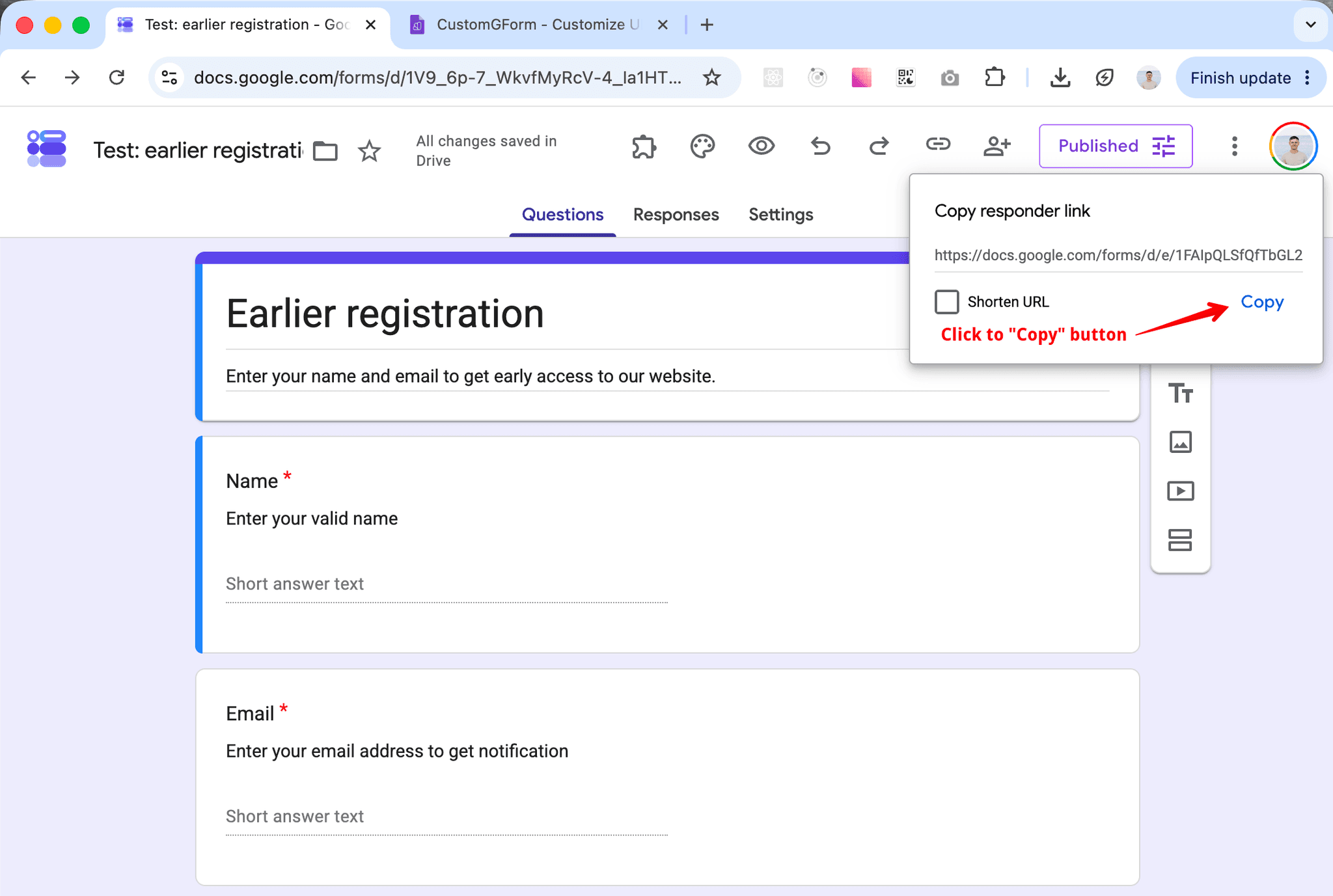
Under "Copy responder link", click the "Copy" button
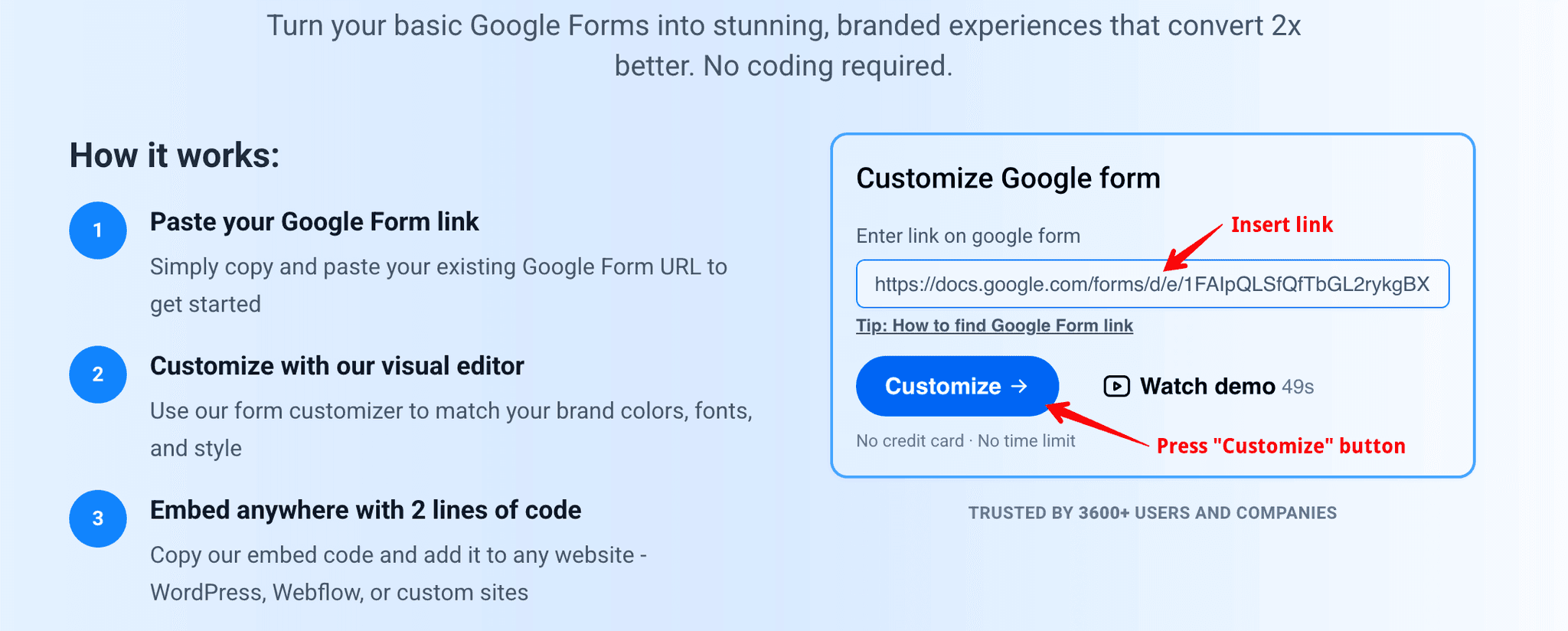
Insert Google Form link to the input and click "Customize" button
Last updated on
Connect CustomGForm to AI Agents via MCP
Complete step-by-step guide to generating API tokens and connecting CustomGForm with Claude, Codex, Antigravity, GitHub Copilot, and Cursor via Model Context Protocol (MCP).
How to Embed a Google Form in Your Website (HTML, WordPress, React)
Step-by-step tutorial on how to embed and customize Google Forms into any website without iframes, ugly borders, or sign-in prompts.